AI VTuber for your YouTube live stream
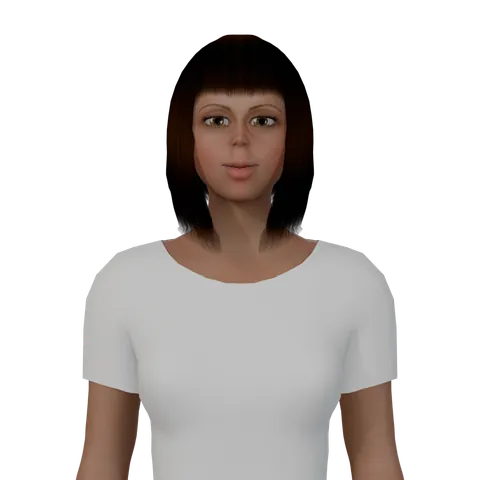
A talking 3D character hosts your live stream. It welcomes your viewers and answers the chat out loud, lip-synced, right from your browser.
One tap with Google. The free plan’s 20 credits a month cover up to 20 live minutes. No card.
How it works
Live on YouTube in four steps.
Everything happens in the app’s Live stream panel, in your browser.
-
Step 01
Pick a host
A talking 3D character from the library, in a close or medium shot, with the language and voice you choose.
-
Step 02
Set the scene
Put a picture, a looping video, a website or a 3D place behind the host.
-
Step 03
Write the show
A name, what it’s about, the host’s personality and the words it must never say.
-
Step 04
Go live
Paste your YouTube stream key and the link to your live video, then press Go live.
Behind the host
Four kinds of background.
-
Picture
JPEG, PNG, WebP or GIF, up to 15 MB.
-
Looping video
MP4, MOV or WebM, up to 50 MB, with its sound at the level you set.
-
Website
Open any site in its own tab and share that tab. The host stands in front of it.
-
3D place
The host stands inside one of the library’s 3D sets.
The chat
It answers your viewers out loud.
About one message every 10 seconds, each one checked before the host says it.
- Everyone, members or Super Chats
- Super Chats first, if you like
- Links, spam and blocked words skipped
- The question shown on screen
- Says the lines you type
- An “AI host” label always on screen
Straight answers
What Live does, and what it doesn’t.
It does
- Stream to your own YouTube channel in 720p at 30 fps
- Run in Chrome or Edge on a Windows or Mac computer, with no OBS
- Speak the language you pick for the show
- Refund the minutes if YouTube never gets the stream
It doesn’t
- Stream to Twitch or anywhere but YouTube
- Work on a phone, or with the tab closed
- Type in your chat or sign in to your YouTube account
- Fill the silence: after its welcome it only answers the chat or says the lines you type
Free and paid
1 credit per started minute.
Live uses the same credits as your videos. Up to 30 shows a day, one at a time.
Free plan
- 20 credits a month: up to 20 live minutes
- Lily, Maya, Amara, Leo and Kenji
- A living room and a café
- Up to two voices for each language
- A small mark on the stream
Any paid plan
- More credits every month
- Every talking character and place
- Every voice
- No mark
FAQ
Live stream questions, answered plainly.
What is the AI VTuber live stream?
It is the Live stream panel of AI Video Generator (aivideogenerator.cc), a web app by Lumora Build, in beta. A talking 3D character hosts your own YouTube live stream from your browser: it welcomes viewers and answers the live chat out loud, lip-synced, with each viewer’s question shown on screen.
Do I need OBS or streaming software?
No. The stream is made in Chrome or Edge on a Windows or Mac computer and sent to YouTube with a stream key you create in YouTube Studio (choose HLS). Keep the computer on and the tab open during the show.
Does it need access to my YouTube account?
No. It streams with the key you paste and reads the chat through the link to your live video, which must be public or unlisted. It never signs in to your channel and never types in your chat.
What does it cost?
1 credit for each started live minute, from the same credits as your videos. The free plan’s 20 credits a month cover up to 20 minutes. You can start up to 30 shows a day, one at a time, and if YouTube never receives the stream, the minutes are refunded.
Which languages can the host speak?
One per show: you choose it in the panel, and the host speaks only that language, in a natural voice. Free accounts get up to two voices for each language; paid plans get every voice.
Can I go live from my phone, or on Twitch?
No. Live needs Chrome or Edge on a computer, and it streams to YouTube only.
What will the host not say?
Every line it writes is checked before it is spoken, and it skips links, spam, very long messages and the words you block. Lines you type yourself are spoken as written. Viewers see the stream about 15 to 30 seconds late, and if YouTube’s daily chat limit for the app runs out, the host keeps going without answering the chat.
Ready when you are
Put a 3D host on your next live stream.
Pick a character, set the scene and paste your stream key.